PickleSnip, whiteboard, markup, and issue tracker for architects
PickleSnip (Beta) is a whiteboard, markup, and issue tracker for architects and designers. Snip a drawing, mark it up, and keep one shared list for the whole team.
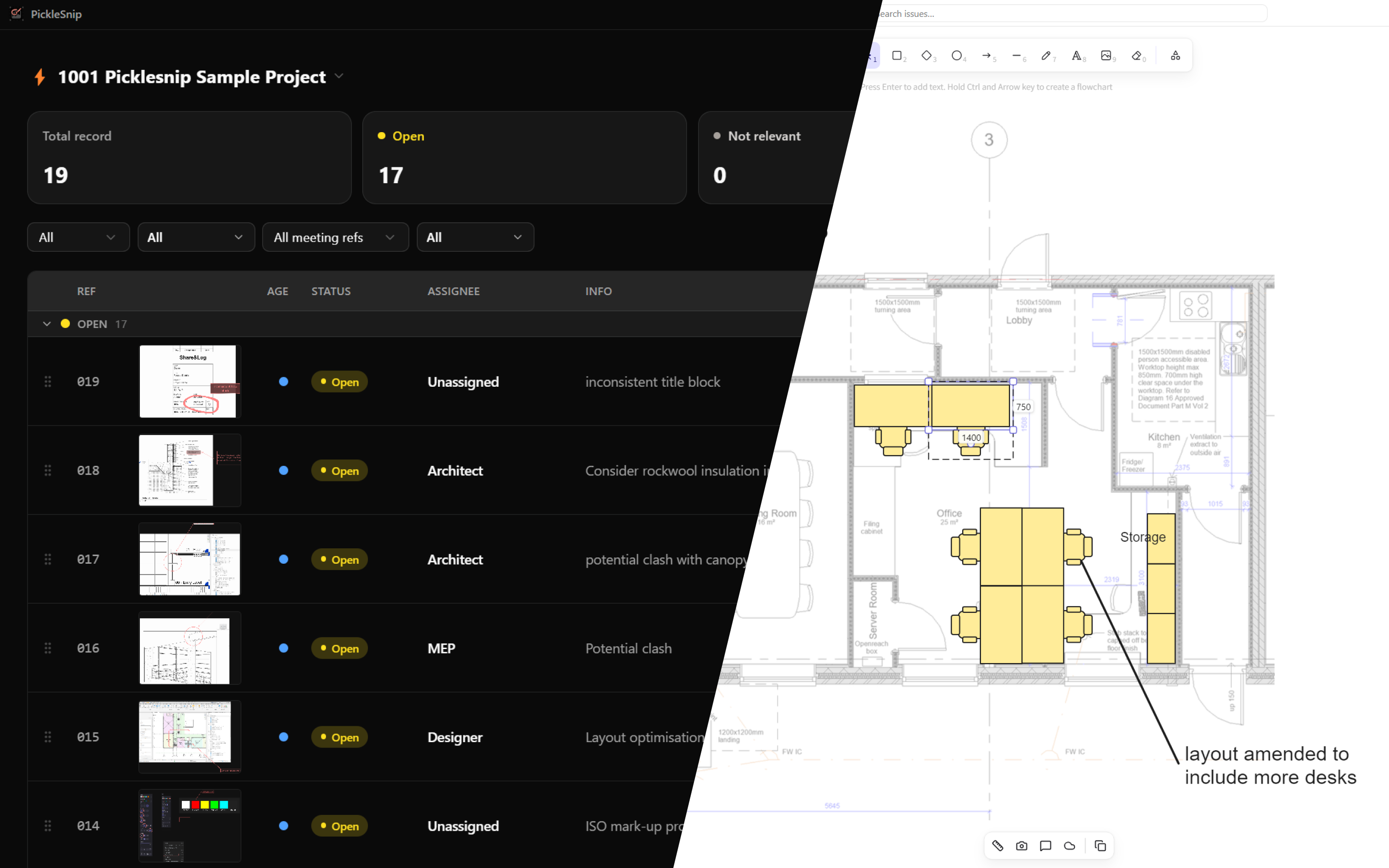
PickleSnip is currently in Beta. Your feedback shapes what we build next.
PickleSnip is a whiteboard, markup tool, and issue tracker, organised together. It is made for architects and designers. Snip a drawing, mark it up, and keep one shared list for the entire team, so your whiteboards stay organised.
PickleSnip is a collaboration between Systemais and Kobi Labs.
More about the product: picklesnip.com
Whiteboard
Sketch freely, or sketch to dimensions. Screen grab an image, then scale it on the canvas and sketch over it at real-world dimensions.
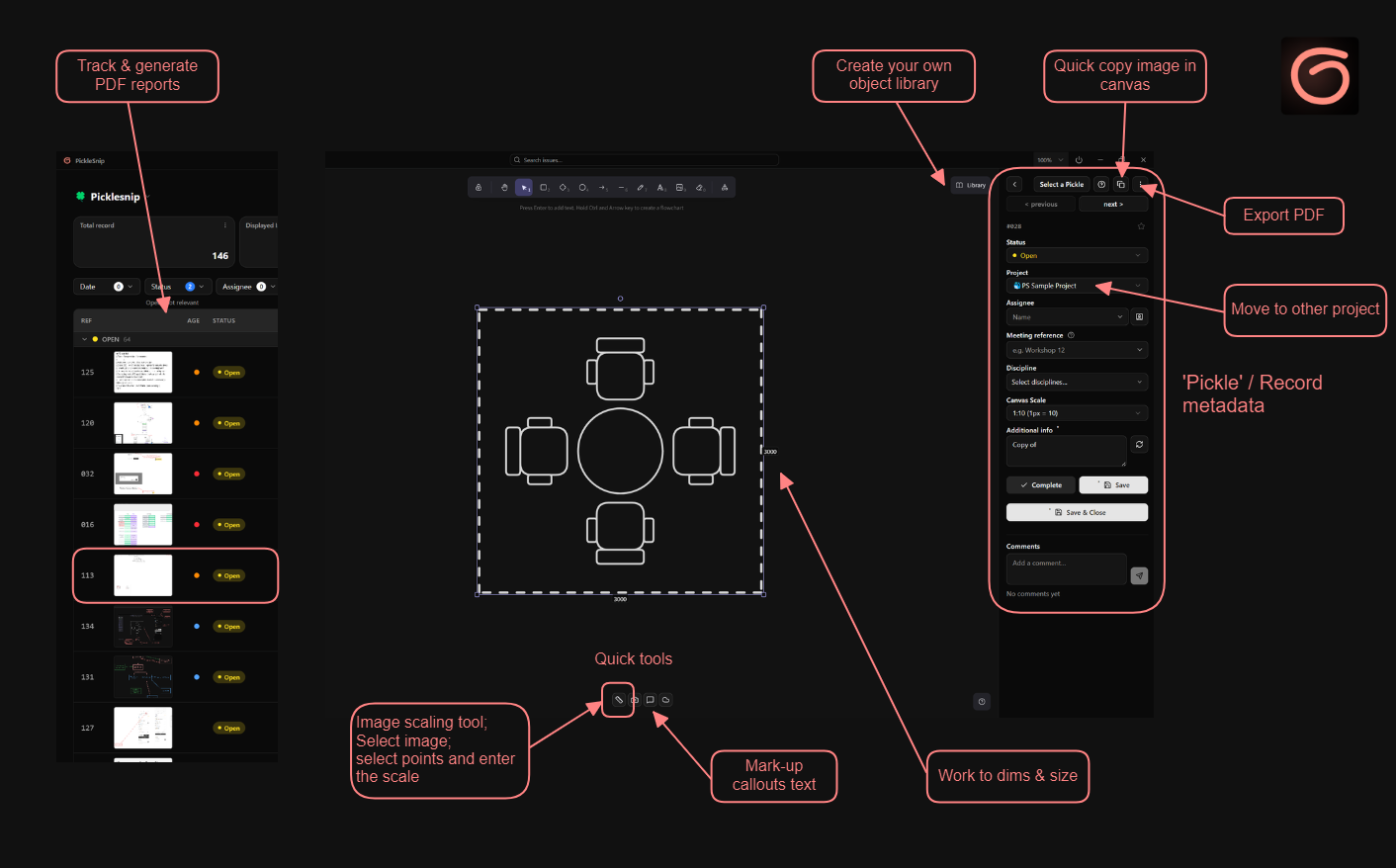
Snip and mark up
Capture a region of a drawing or model, mark it up, and file it as an issue with a status, an owner, and a discipline.
This works well as a coordination issue tracker. Screenshot any model or design coordination issue, add your markups, generate a report, and share it with the rest of the design team.
Tracker
Every item carries a status and an owner, for the whole team. This is more than a pile of whiteboard sketches. Each item has metadata driven by project-level settings, so you can define your own disciplines and more.
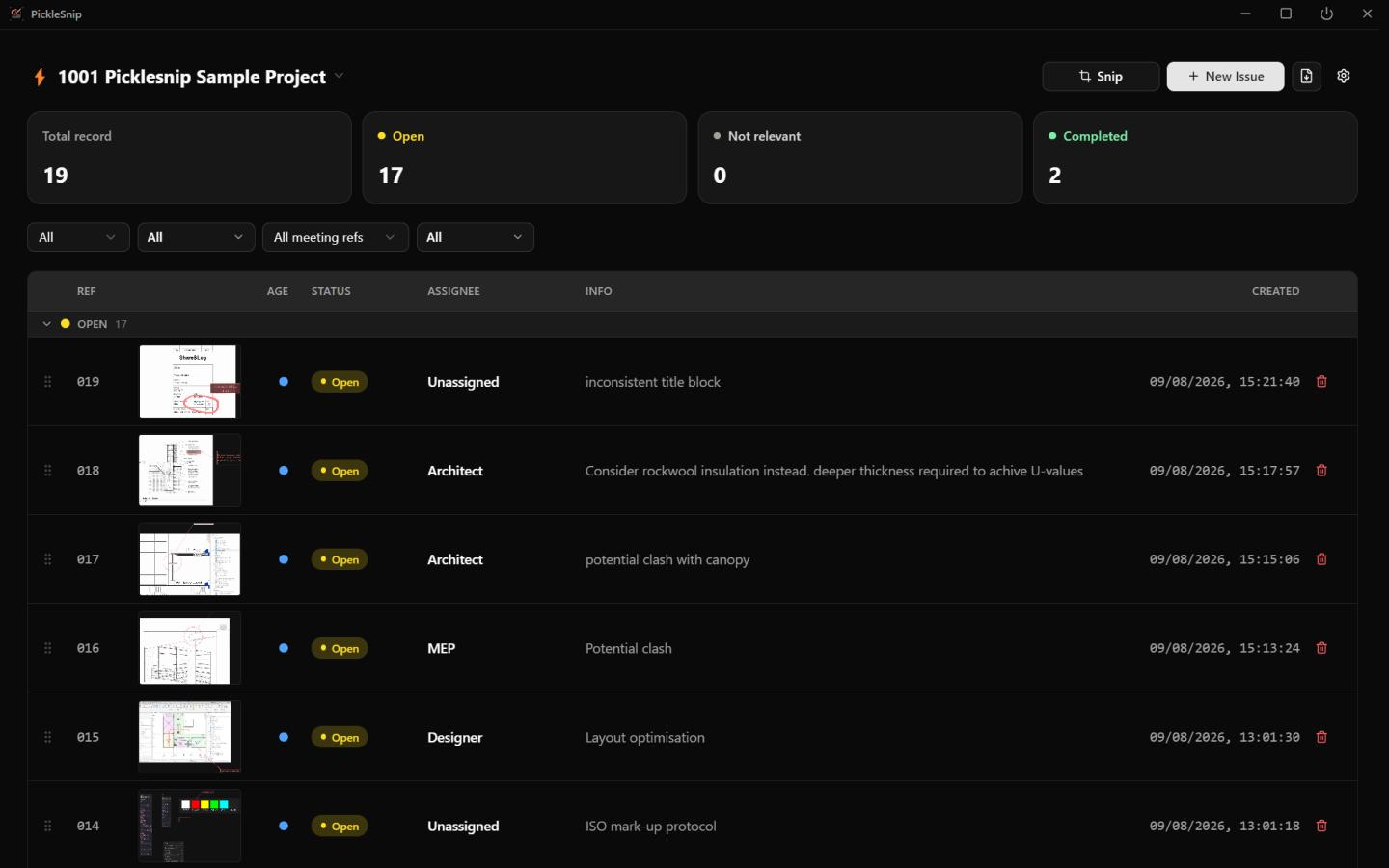
Filter the shared list by status, assignee, and discipline. A messy whiteboard becomes a structured record you can track.
Light and dark mode
PickleSnip works in both light and dark mode, so it sits comfortably next to whatever else you have open, whether that is a bright drawing set or a dark model viewer.
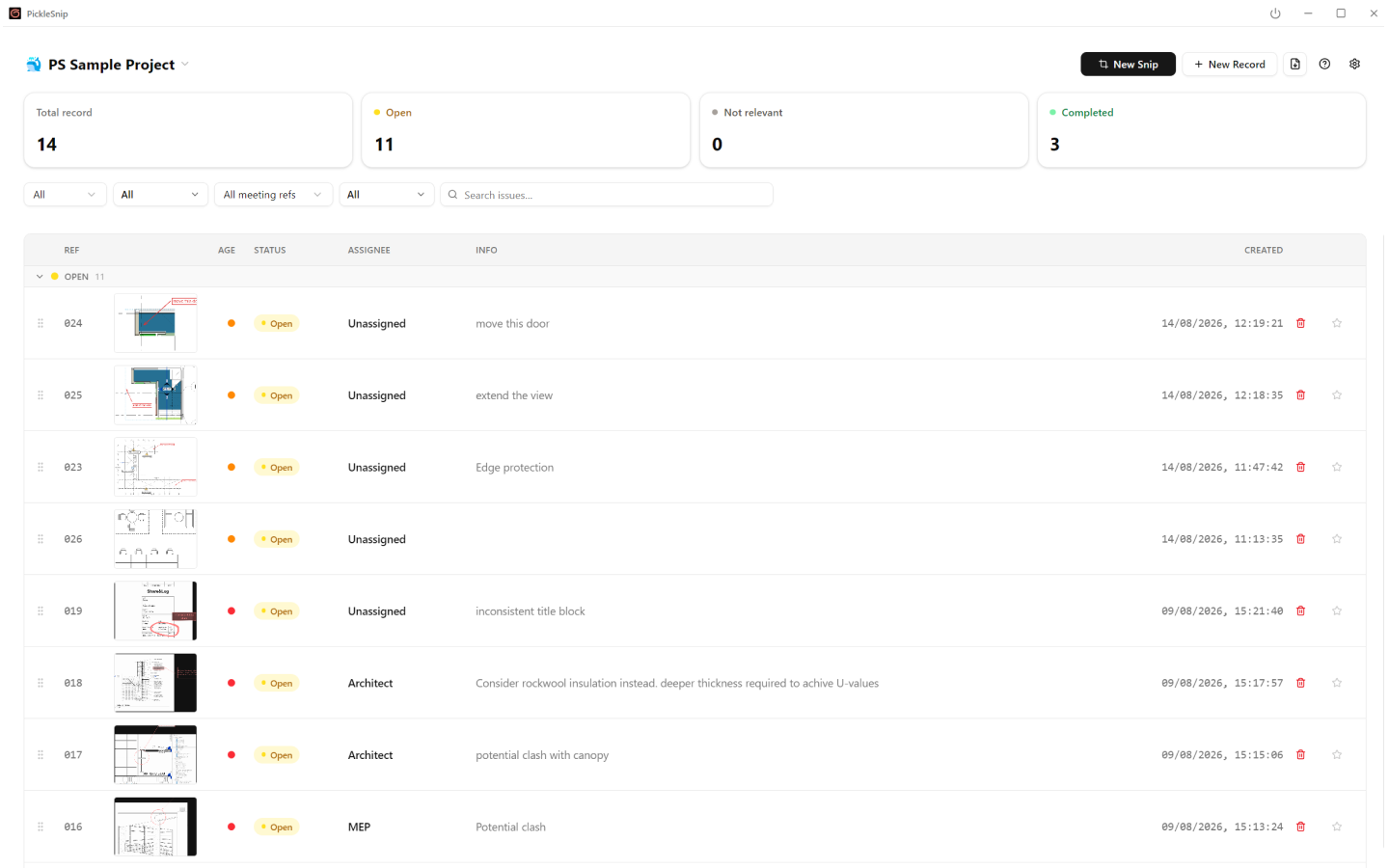
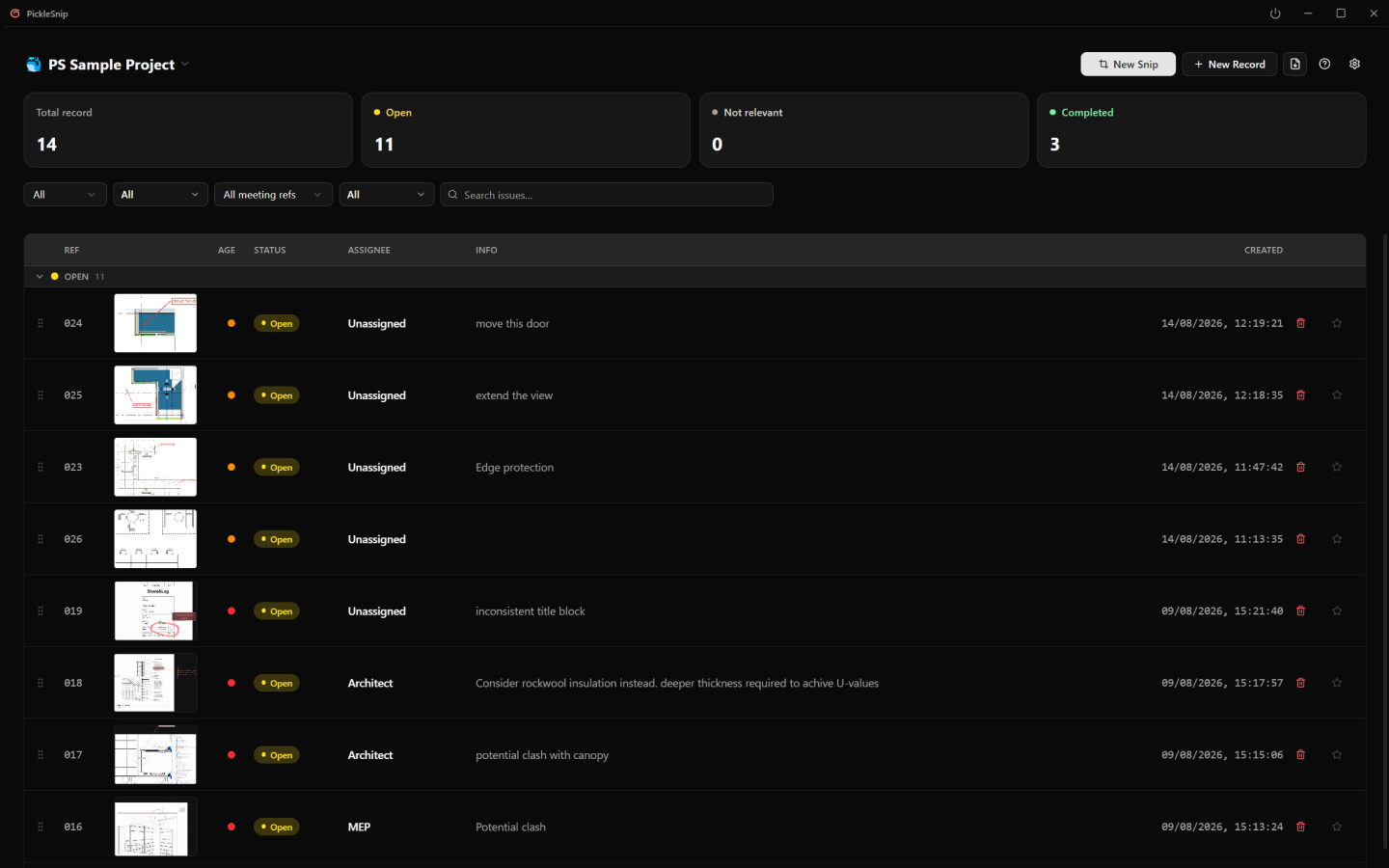
A record you can share
Filter the list, then export a PDF report. You can also generate PDF frames straight from the canvas.
Your files stay in your folder
Project files stay on your computer, or in a folder you already share. Point the project at OneDrive, SharePoint, or Google Drive and the team works from one list. Anyone who can edit the shared folder sees the same issues.
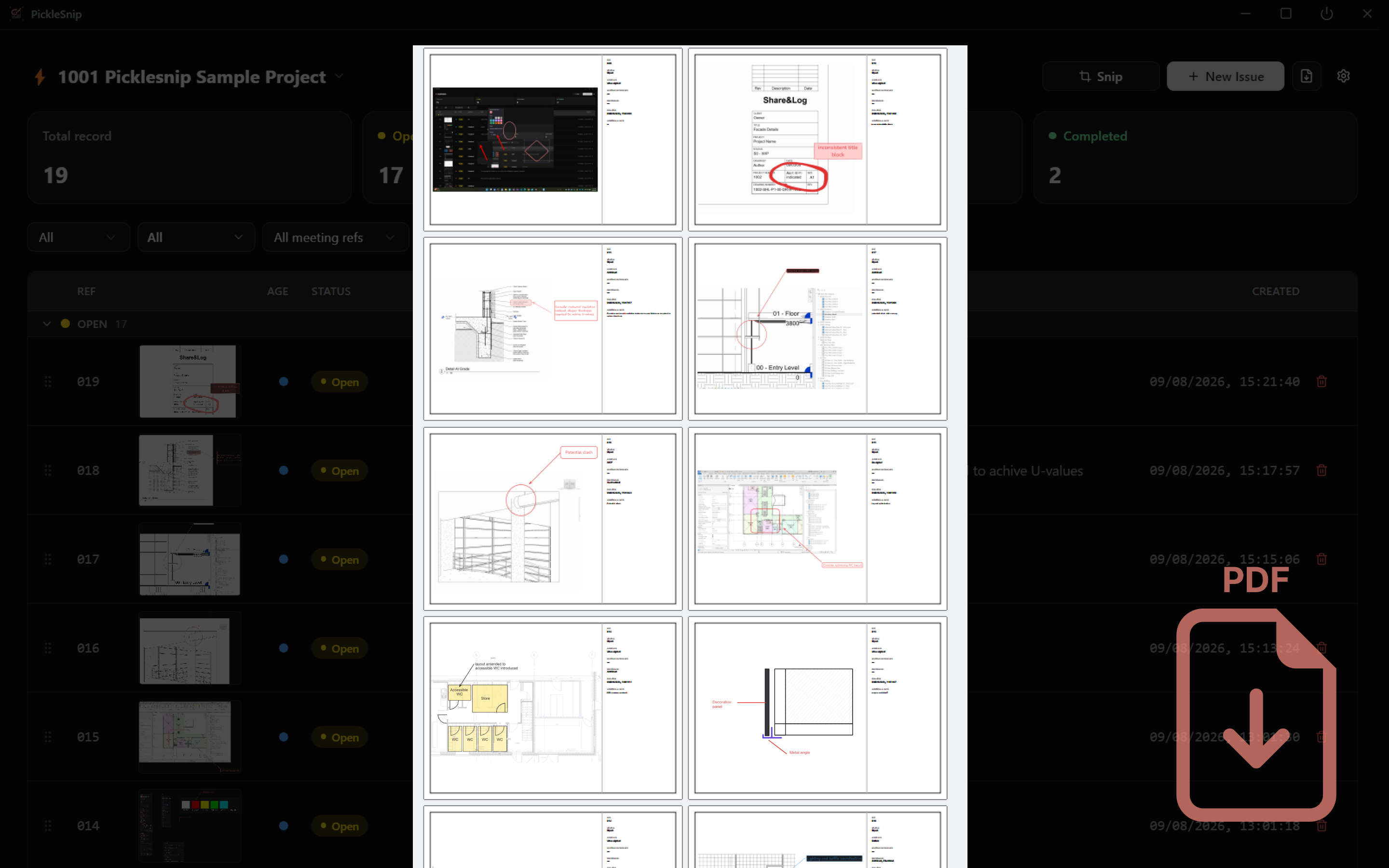
Beta status
PickleSnip is in Beta. The core features above are available to use now, but you may find rough edges, and some things will change as we learn from real projects.
Download PickleSnip
Download: picklesnip.com