Weekly timesheets, holidays, expenses, and the job book
For a small or mid-size architecture practice, with the approvals a manager needs.
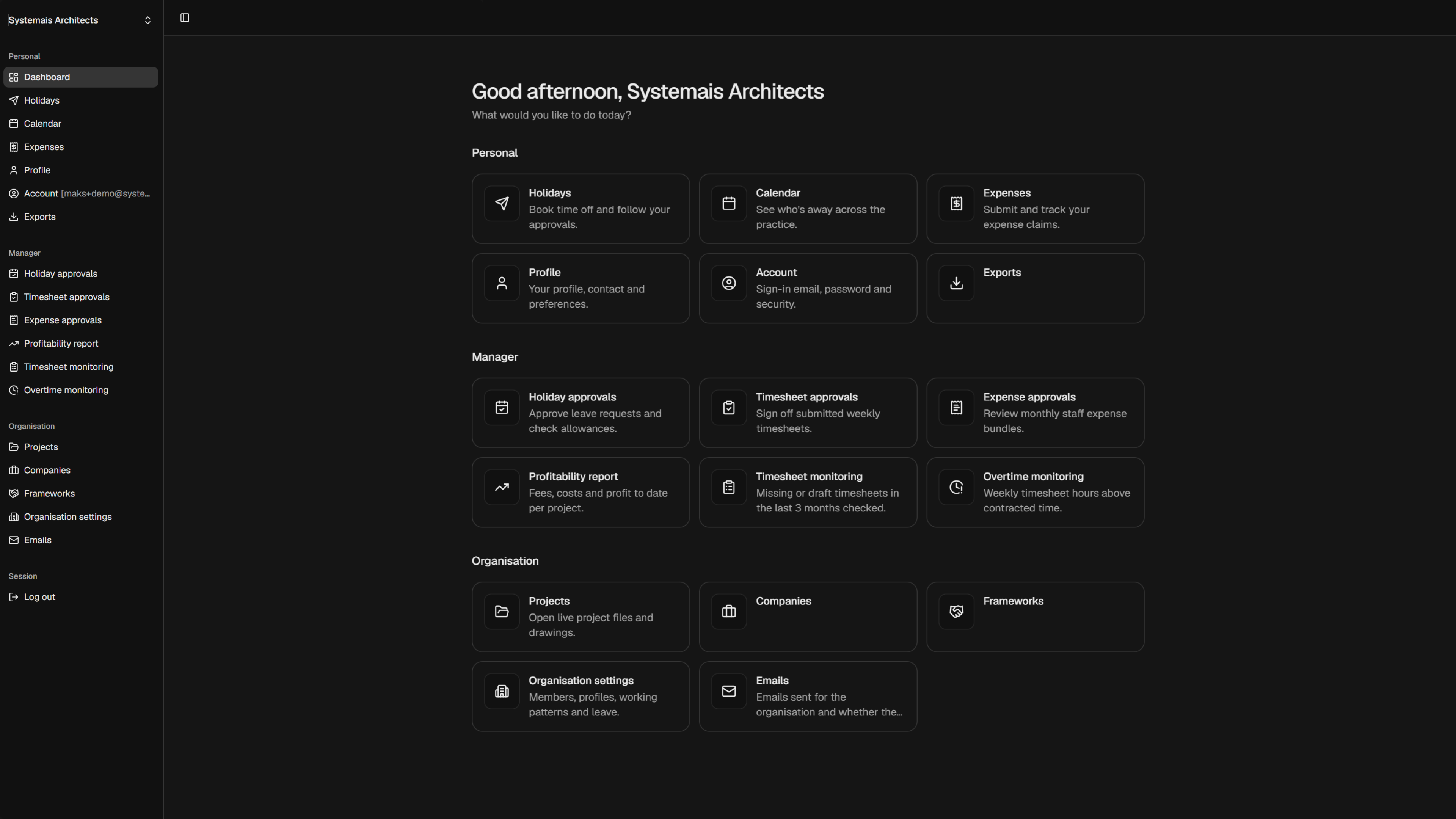
Practice Admin App is office admin for a small or mid-size architecture practice where live projects, members, working patterns, and holiday rules stay in the same app. People can log weekly timesheets against projects, book holidays and submit expenses. Managers can approve all entries and compare staff time spent on projects against quoted time.
Timesheets
Log hours for the week against each project. Each row can contain project name, RIBA stage, hours for each day, items, and notes. The sheet shows the total for each day and the total for the week. Keep it as a draft, copy an earlier week, or submit to complete it.
Booked holidays show on the timesheet, so you can see them while you log the week. The timesheet also accounts for mandatory holidays and working patterns. App administrators can set both in the settings.
Holidays
Book time off and follow the request through to approval. Mandatory leave is set once for the practice, and bookings account for those days. Each person's total holiday allowance is set in HR dashboard controlled by HR manager.
On holiday submission, team leader or director gets a request email and can see the request on their dashboard to approve. Approved leave is included on the office calendar, so the rest of the practice can see who is away.
Expenses
Submit an expense claim and track it. Attach a receipt, or claim mileage. Mileage rates are set in organisation settings. A claim can be approved in full or in part.
Roles and management
Settings let you create bespoke roles and choose access to each module by role. Management roles can include:
- Holiday approvals - approve requests and check allowances. The team leader or director gets an email and the request is also on the dashboard.
- Expense approvals - review monthly staff expense bundles and approve expense claims in full or in part
- Profitability report - fees, costs and profit to date per project
- Timesheet monitoring - missing or draft timesheets in the last 3 months
- Overtime monitoring - weekly hours above contracted time
Project information - aka the job book
Project information is stored in Projects. Every staff member can open it and update a project to suit.
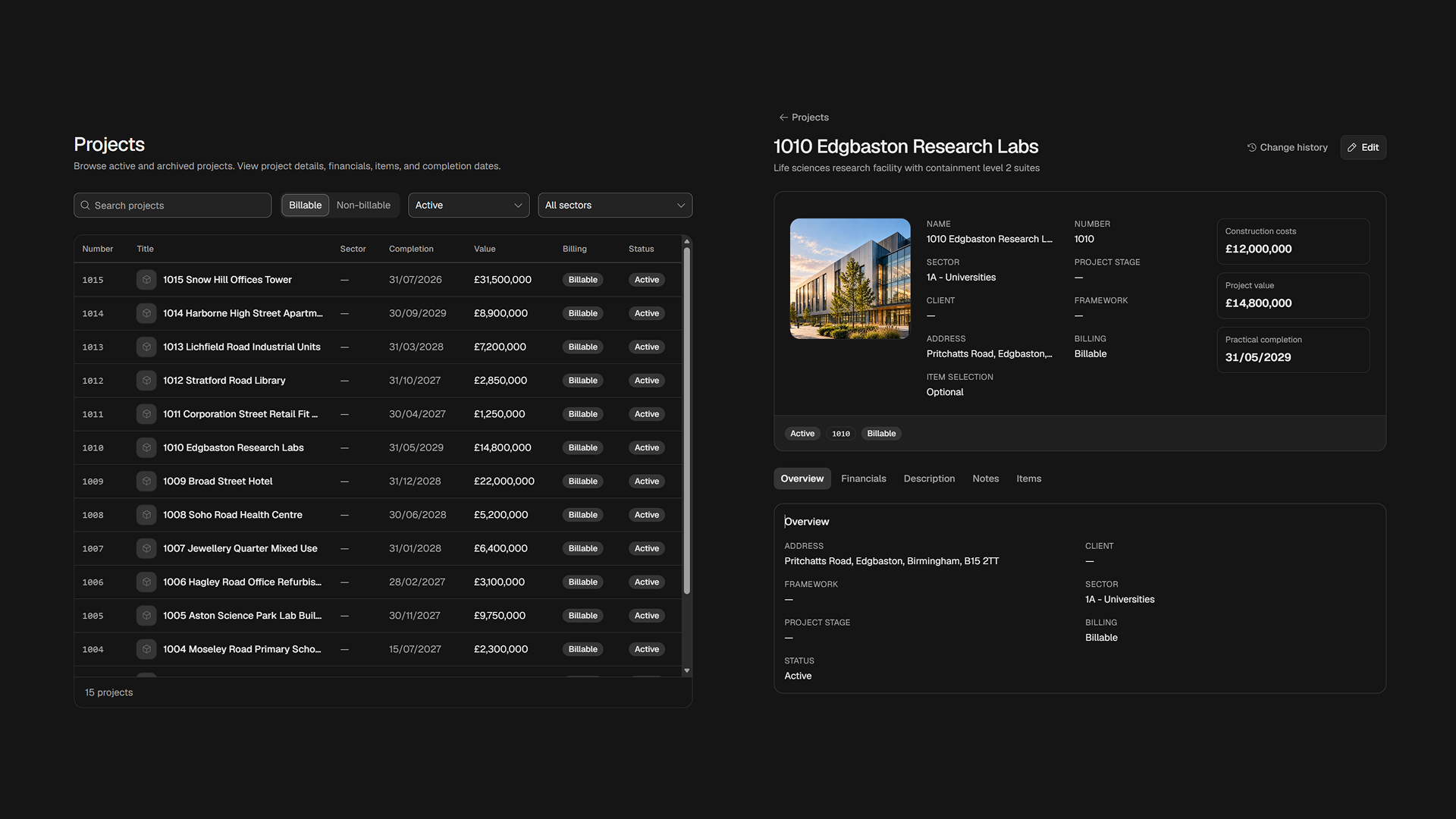
Organisation settings hold the people in the practice, their profiles, working patterns, holidays including mandatory holidays, teams, job titles, onboarding, and vehicles, plus the rest of the settings. Roles set who can access what. Emails sent for the organisation are listed there too.
Working patterns and holidays are set for the practice, so overtime is checked against contracted time.
AI can fill in your timesheets
AI can fill in your timesheets. Tell AI what you did in the week using plain language: the project, the day, and the hours. The app drafts the timesheet so you can check it, then submit.
AI also reads can read expense claim receipta and draft the claim, so you can check it and submit faster.
Authentication options
- Two-factor authentication, set for the organisation
- Sign in with Microsoft
- Sign in with Google
Compared with Rapport3
A Rapport3 alternative for a small or mid-size architecture practice
Pricing
Free for up to 3 people
For a demo, and to explore the app. On request.
Monthly
£4 per person per month.
Annual
About £5,000 a year for a practice of about 100 people.
One-off payment
For a mid-size practice, an estimated £25,000 one-off payment, subject to the modules you need. Large practices should contact us for a fee estimate.
A small annual fee still applies for running costs. You pay for updates only if you need them.