Rooms App. Data-driven Workflows for Architects and Space Planners
Solution to improve room workflows - from concept to technical delivery. Streamline brief development, client requirements collection, and room data management with Revit connector.
Coming Soon... Early 2026
Interested in learning more? We would love to hear from you. Get in touch: letstalk@systemais.co.uk
Data-Driven Workflows from Day One
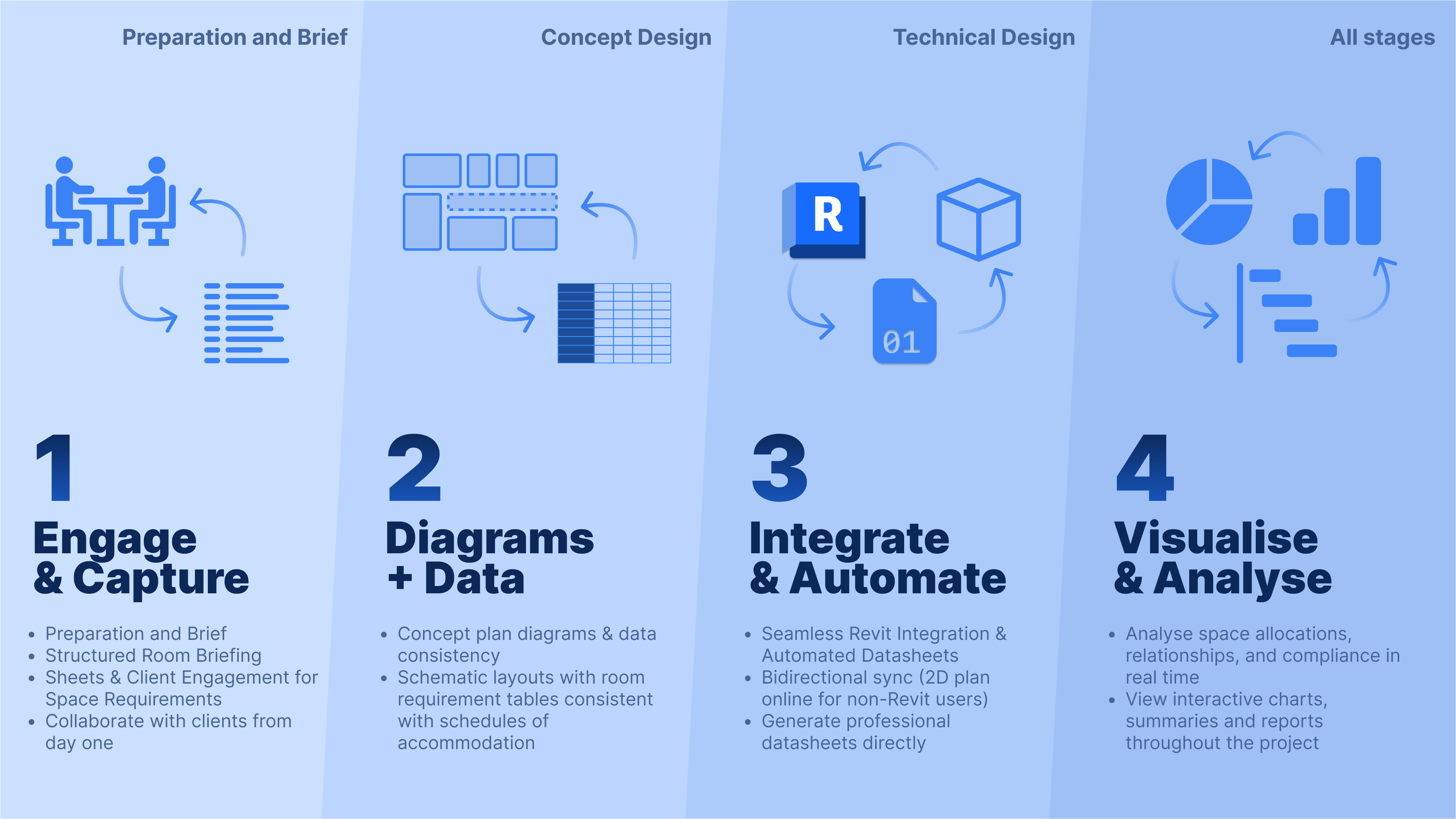
Rooms App brings a modern, data-centred approach to the way architects and clients plan spaces. It replaces scattered spreadsheets, disconnected diagrams, and inconsistent room data with a single, structured workflow that supports every design stage. From early briefing to technical delivery, Rooms App keeps your project aligned, coordinated, and transparent.
Whether you are an architect, client, consultant, or wider project stakeholder, Rooms App makes it easy to capture requirements, visualise information, maintain consistency, and integrate directly with Revit.
Application across RIBA Stages
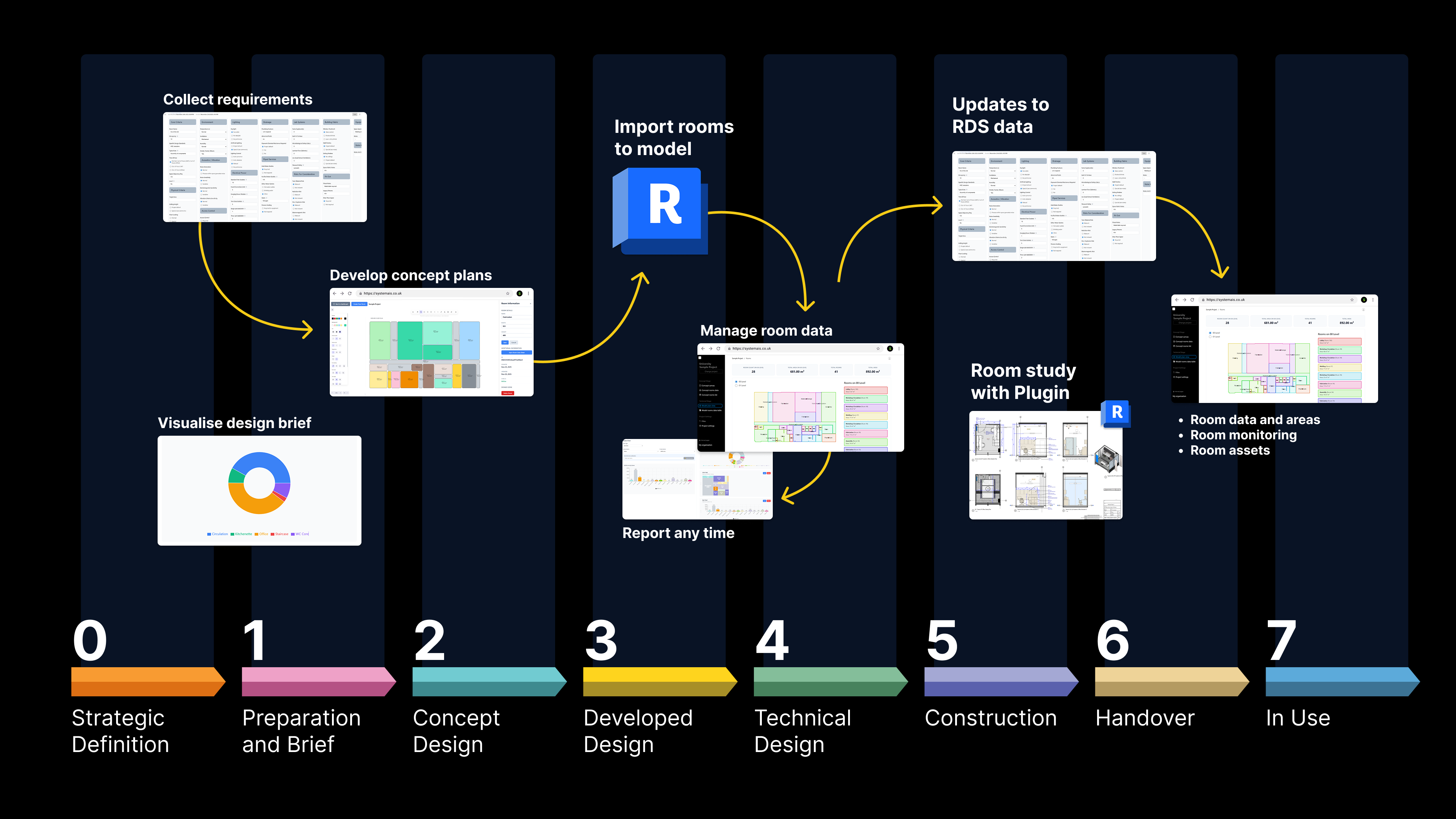
RIBA Stage - Royal Institute of British Architects (RIBA) project workstages.
Capture and Collaborate from the Start
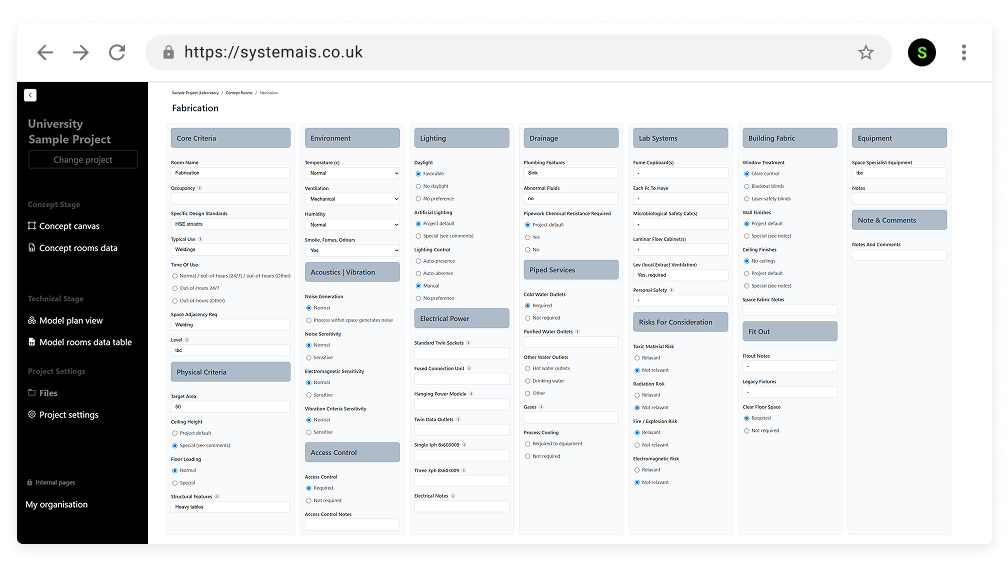
Rooms App begins with a clear, structured way to gather room and space requirements.
Teams can create Room Briefing Sheets that clients actually understand and engage with.
- Capture space requirements in a consistent format
- Remove messy spreadsheets and duplicated lists
- Let clients review, comment, and collaborate in real time
This early clarity sets the foundation for a smooth project workflow.
Visualise and Analyse Your Data

Design decisions work best with data that is easy to read.
Rooms App includes simple visual tools to explore and review information:
- Interactive charts and analytics
- Area summaries and compliance checks
- Quick comparisons of planned versus required spaces
This helps both designers and clients stay aligned, reducing misunderstandings later in the project.
Create Consistent Concept Layouts
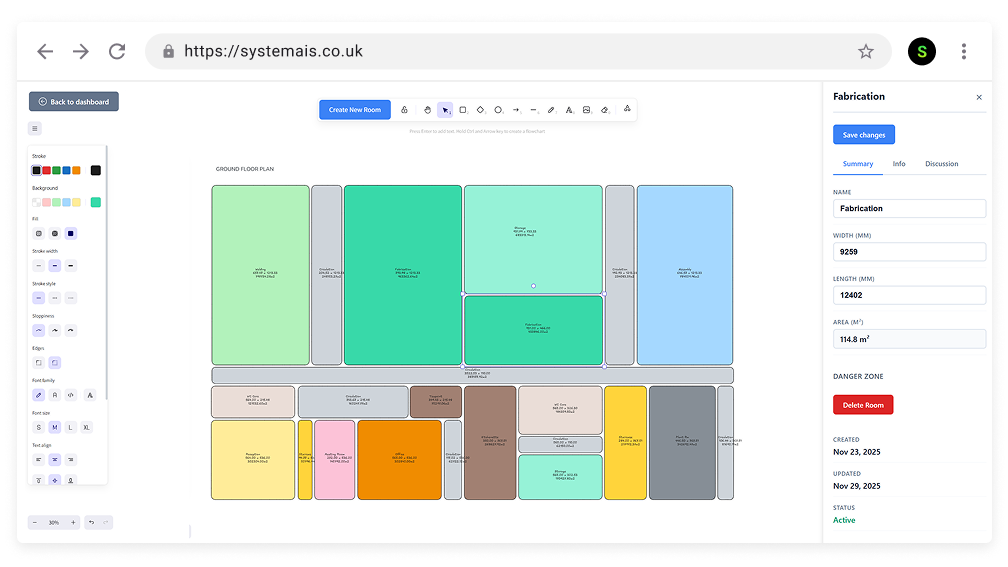
When design starts to take shape, Rooms App supports early diagrams and schematic planning.
- Build concept plan diagrams directly in the app
- Ensure layouts remain consistent with schedules of accommodation
- Generate room requirement tables automatically
No more mismatches between diagrams, schedules, and briefing sheets—everything comes from the same data source.
Revit Connector – Bidirectional and Automated
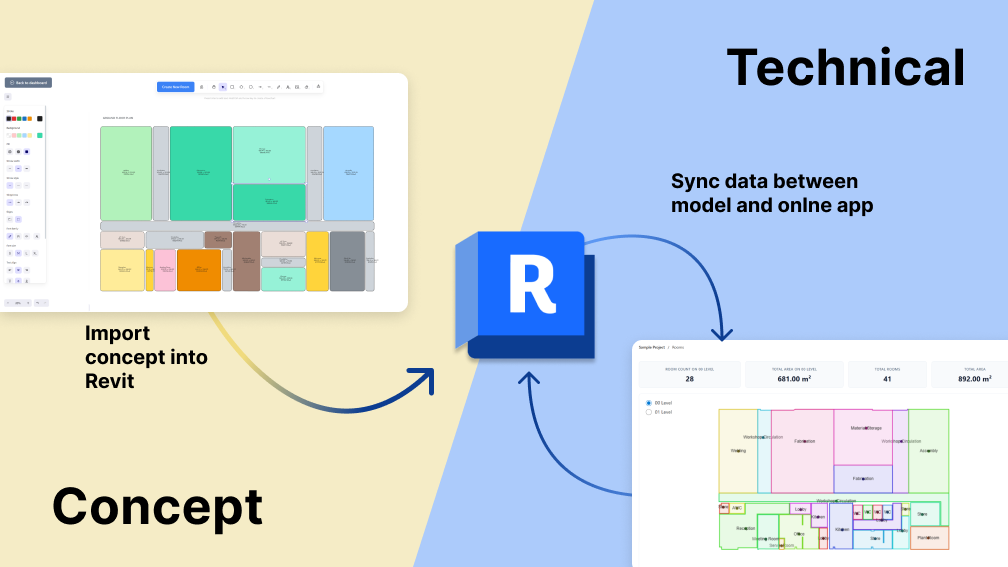
Rooms App connects directly to your Revit model through a dedicated Revit connector.
- Sync room data both ways
- Keep the model and briefing information aligned
- Generate professional room datasheets automatically
- Maintain accuracy throughout all design stages
This eliminates manual updates, reduces mistakes, and saves hours on data entry.
Work Seamlessly with Non-Revit Users
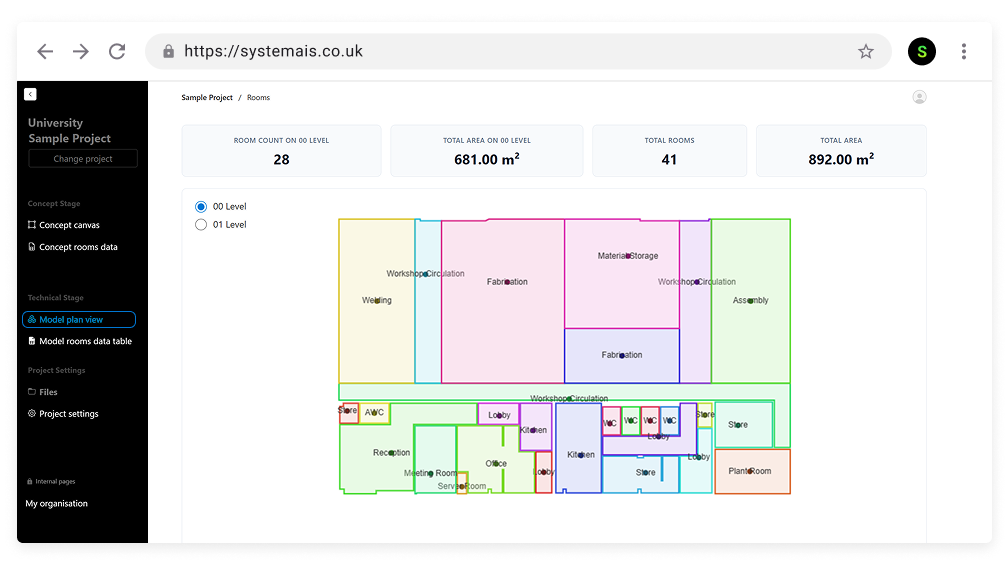
Not everyone on the project might use Revit, but everyone should have access to room data and enable collaboration without barriers.
Rooms App allows the wider team to collaborate without barriers:
- Online 2D plan view for non-Revit users
- Edit room data outside Revit
- Keep everyone aligned without exporting and re-importing spreadsheets
This opens the workflow to clients, project managers, engineers, and consultants.
Room Data Sheets
One of the most powerful features of the Rooms App is automated room data sheet generation:
- Automatic Generation - Pull data directly from Revit models with a single click
- Professional Formatting - Beautifully designed layouts that meet documentation standards
- PDF Export - Generate PDF outputs for client presentations and project documentation
- Customizable Templates — Adapt data sheet formats to match project requirements
- Data Visualization - Include charts, graphs, and visual analytics
- Consistent Documentation - Ensure all room schedules follow the same format and quality
Designed for the Entire Project Lifecycle
Rooms App supports every RIBA stage:
- Preparation & Brief – Capture and structure requirements
- Concept Design – Build consistent diagrams and layouts
- Technical Design – Sync with Revit and automate datasheets
It is not just an architect's tool—it is for anyone who depends on clear, reliable room data.
Why It Matters
Room data drives architectural design, cost planning, compliance, and client expectations.
Rooms App ensures this data is accurate, centralised, and effortless to manage.
Coming Soon... Early 2026
Interested in learning more? We would love to hear from you. Get in touch: letstalk@systemais.co.uk